Start typing to see results...
Find the perfect solution
TVs in commercial AV are commercial-grade display panels designed for the demands of commercial installations: 24/7 operation, longer lifecycles, professional features like RS-232 and IP control, anti-glare coatings for retail and hospitality environments, and the certification and warranty terms that commercial installations require. They differ from consumer TVs in build quality, features, and lifecycle support: a commercial display might cost more than an equivalent consumer TV but lasts longer in commercial use and provides features that consumer products lack.
Several factors distinguish commercial displays from consumer TVs. Hours of operation rating: commercial displays are typically rated for 16/7 or 24/7 operation (vs. consumer TVs rated for 8 to 12 hours daily). Build quality: commercial panels use higher-grade components, better thermal management, and more robust connectors. Features: commercial displays include RS-232 and IP control for integration with AV systems, landscape and portrait orientation support, video wall functions, daisy-chain capability for multi-display setups. Warranty: commercial warranties cover commercial use, while consumer warranties often exclude commercial environments. Certifications: commercial displays often include UL listings, FCC certifications, and energy ratings appropriate for commercial deployment.
Modern commercial displays use various technologies. LED-backlit LCD remains the dominant technology, with various local-dimming and quantum-dot variants for improved contrast and color. OLED displays offer perfect blacks and very fast response times but lifecycle concerns limit commercial use (image retention in static signage). MicroLED is emerging for premium installations with self-emissive pixels and very long lifespans. Direct-view LED (DVLED) walls use individual LED modules for large displays with no bezels. For most commercial AV, LED-backlit LCD provides the best balance of cost, quality, and longevity.
Commercial displays span sizes from small (32 to 43 inches for hospitality and digital signage) through standard (49 to 65 inches for conference rooms and signage) to large (75 to 98 inches for boardrooms and large-format signage). 4K (3840x2160) is now standard across most commercial displays; 8K is emerging in premium applications. Match the size to the viewing distance: ANSI recommendations suggest the screen height should be roughly 1/6 to 1/8 of the maximum viewing distance for comfortable viewing.
Brightness matters significantly in commercial AV. Standard indoor displays need 300 to 500 nits for normal ambient lighting (offices, restaurants). Bright indoor environments (lobbies with natural light, retail with skylights) need 500 to 1000 nits. Outdoor or window-facing displays need 1500 to 3000 nits for daytime visibility. Bright outdoor displays need 3500+ nits for direct sunlight readability. Always specify brightness appropriate for the installation environment; too-dim displays in bright environments wash out, while too-bright displays in dark spaces are uncomfortable and waste energy.
Commercial displays support remote control via RS-232 serial commands and IP/Ethernet commands, enabling integration with AV control systems. The control system can turn displays on and off according to schedules, switch inputs based on room mode, adjust volume, and monitor display status. Consumer TVs typically lack RS-232; some recent consumer TVs include IP control but with simpler protocols than commercial displays. For any installation with multiple displays under unified control, commercial displays with RS-232 or IP control are essential.
Many commercial displays support both landscape and portrait orientation. Portrait orientation is common in digital signage (tall display panels for menu boards, retail signage, wayfinding), in elevator lobbies, and in any application where vertical content fits better than horizontal. Commercial displays in portrait mode are designed for the orientation: cooling works correctly, components handle the orientation reliably. Consumer TVs typically only support landscape orientation; using them in portrait causes overheating and component failure.
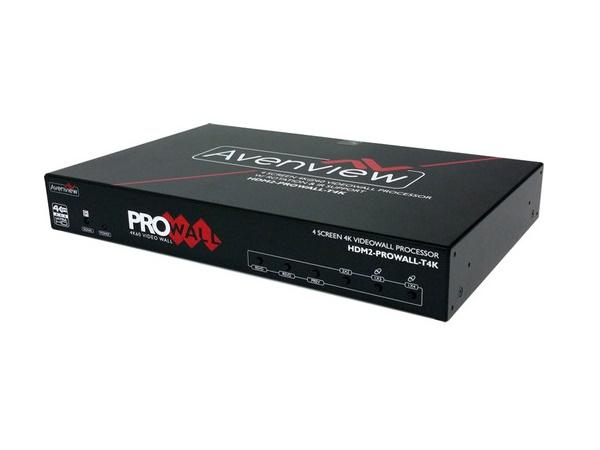
For multi-display video walls, commercial displays include video wall features: thin bezels (or zero bezels for premium walls), uniform color calibration across the array, daisy-chain capability for content distribution, and frame compensation that maintains the visual continuity of the image across panel borders. Video walls range from 2x2 (4 panels) through large arrays (4x4, 6x4, or larger), used in lobbies, retail, control rooms, and event spaces.
Commercial TVs serve digital signage (retail, hospitality, transportation, education, healthcare with displays throughout the facility), conference rooms and boardrooms (front-of-room main displays), classrooms and training rooms (instructor displays, large student displays), houses of worship (sanctuary main displays, lobby information displays), hospitality (in-room TVs, lobby information, conference center displays), and any commercial AV installation where displays are part of the system.
Consumer TVs work for some commercial installations, but they have several limitations. Hours of operation: consumer TVs are typically rated for 8 to 12 hours daily; commercial use of 16+ hours per day often violates consumer warranties and causes premature failure. No RS-232 or commercial IP control: integration with AV control systems is difficult or impossible. No portrait orientation support: consumer TVs overheat and fail when used in portrait. Limited connector options: consumer TVs typically lack BNC, optical audio, and other commercial-grade connections. Warranty exclusions: consumer warranties often exclude commercial use entirely. For serious commercial AV, commercial displays are worth the additional cost.
Match brightness to the environment. Standard indoor displays in controlled lighting (offices, conference rooms, restaurants): 300 to 500 nits. Brighter indoor environments (lobbies with natural light, retail with skylights, store windows facing indoor light): 500 to 1000 nits. Outdoor or window-facing displays: 1500 to 3000 nits for daytime visibility through windows. Direct sunlight outdoor: 3500+ nits, often with high-bright outdoor displays specifically designed for sunlight readability. Always specify appropriately: too-dim displays in bright environments wash out and look bad; too-bright displays in dark spaces are uncomfortable.
Commercial-grade displays are designed for the demands of commercial installations: 16 to 24 hours of daily operation (vs. 8 to 12 hours for consumer TVs), longer lifecycles (3 to 5+ years of continuous use), professional control interfaces (RS-232, IP control), landscape and portrait orientation support, anti-glare panels for retail and hospitality, integration ports for AV systems (BNC, optical audio, USB-C), commercial warranties that cover commercial use, and certifications appropriate for commercial deployment. The cost premium over consumer TVs is justified by the commercial features and longevity.
A direct-view LED display uses individual LED modules to form the image, rather than the LCD panel with LED backlight in conventional displays. DVLED displays are bezel-less (no breaks between modules), can be assembled into very large displays (typical applications are 5+ feet diagonal, with massive wall installations easily 30+ feet wide), and have extremely long lifespans (50,000+ hours typical). They are used in premium installations: large-venue digital signage, broadcast studios, sports facilities, and high-end retail. The cost is significantly higher than LCD displays, justified for the premium applications.
Use a single large display when the content is one continuous image at conventional proportions (typical conference room content, presentations, video conferences). Single displays are simpler to install, calibrate, and operate. Use a video wall when you need extremely large display area (sometimes 100+ inches diagonal equivalent across multiple panels), when the wall must be assembled from standard-size panels for practical reasons (transportation, installation), or when the wall's appearance is part of the architectural impact (large lobby walls, retail brand walls, event venue centerpieces). Video walls require more design, calibration, and content preparation than single displays.
Digital signage (the largest single application; retail stores with point-of-sale displays and brand walls, hospitality lobbies and conference center directional signage, transportation hubs with information displays, education campus signage, healthcare wayfinding and patient information, corporate lobbies), conference rooms and boardrooms (front-of-room main displays, often 65 to 86 inches for typical rooms), classrooms and training rooms (instructor displays, large student displays for lecture halls and training facilities), houses of worship (main sanctuary displays for lyrics and graphics, lobby information displays), hospitality (in-room TVs with hospitality firmware for commercial properties, lobby and conference center displays), and any commercial AV installation where displays are part of the integrated system.

On order over $300 and more for US and US territory

We Offer a 30-Day Money Back Guarantee

Full manufacturer's warranty and quality assurance

Safe checkout with trusted payment providers