Start typing to see results...
Find the perfect solution
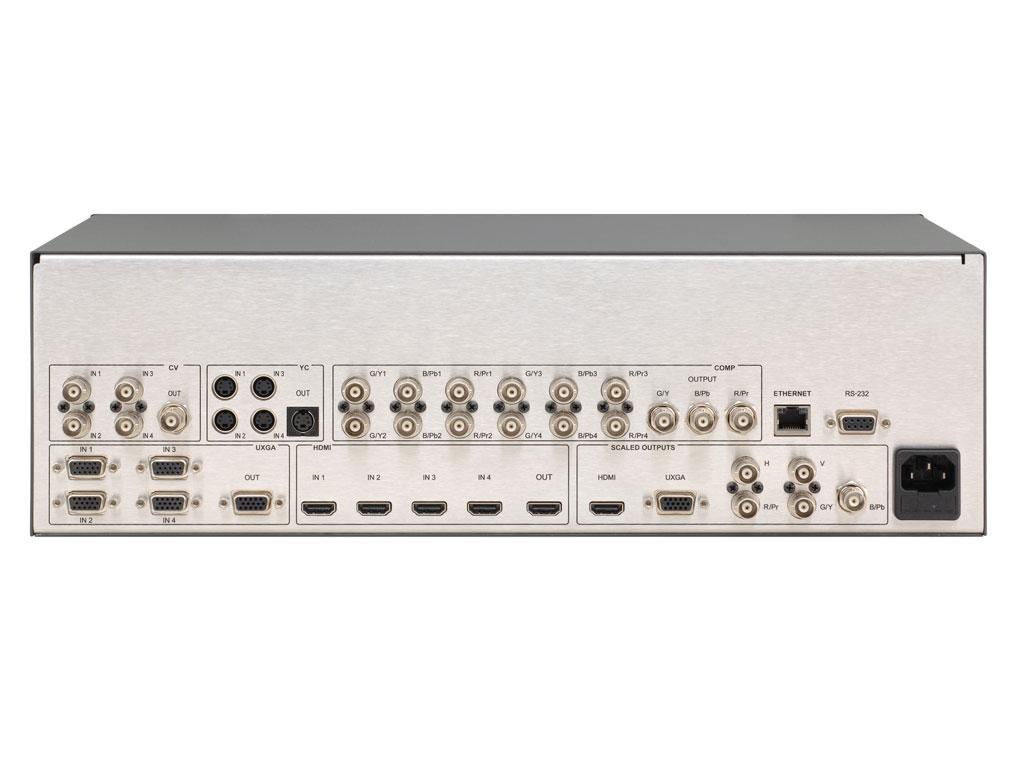
The purpose of a switcher is to switch between multiple audio and video sources to one or more outputs. AV switchers come in formats including HDMI, DVI, VGA, composite, component, and analog/digital audio. Each format has specific switcher products designed for that signal type. Choosing the right switcher for a particular application can be tricky, depending on the source format, output requirements, distance from the switcher to the display, and any special features needed.
Two questions matter most when selecting a switcher. What type of sources am I working with and what is my output format? The switcher must accept the source format(s) and produce the output format the display(s) accept. What is the distance from the switcher to the displays? For short distances, direct cable connection from the switcher works fine. For longer distances, the switcher may need to feed extenders (HDBaseT, AV-over-IP, fiber) that carry the signal to remote displays.
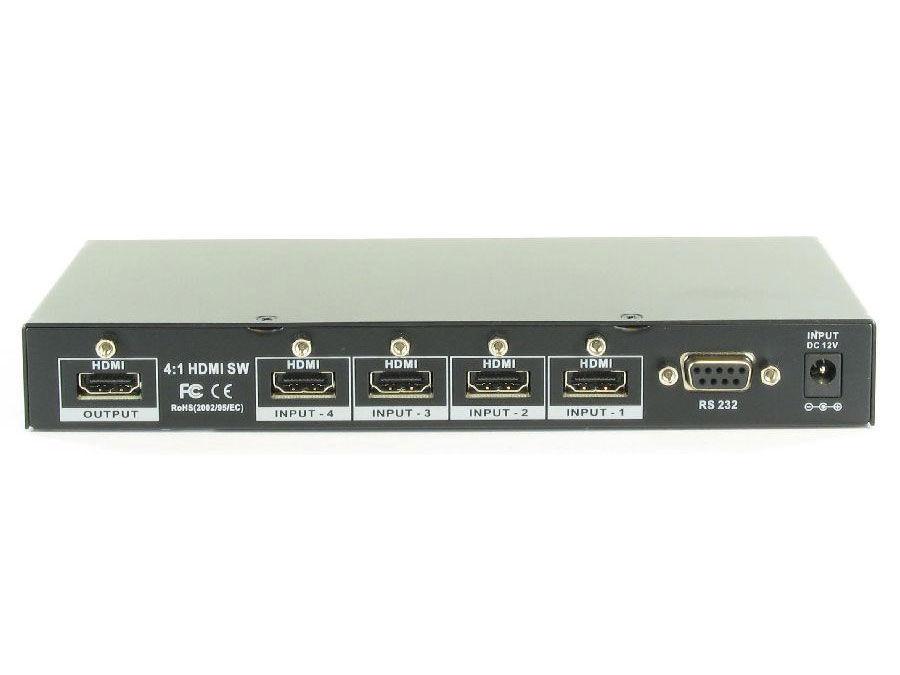
The simplest switcher is a basic multi-input single-output device: several input ports, one output port, with the user selecting which input is active at any time. Common configurations: 2x1 (two inputs, one output), 3x1, 4x1, 6x1, 8x1. These are used in residential setups (a TV with one HDMI input but the user has multiple sources: cable box, streaming device, gaming console), in conference rooms (multiple presenter laptops sharing one display), and in any installation where multiple sources share one display.
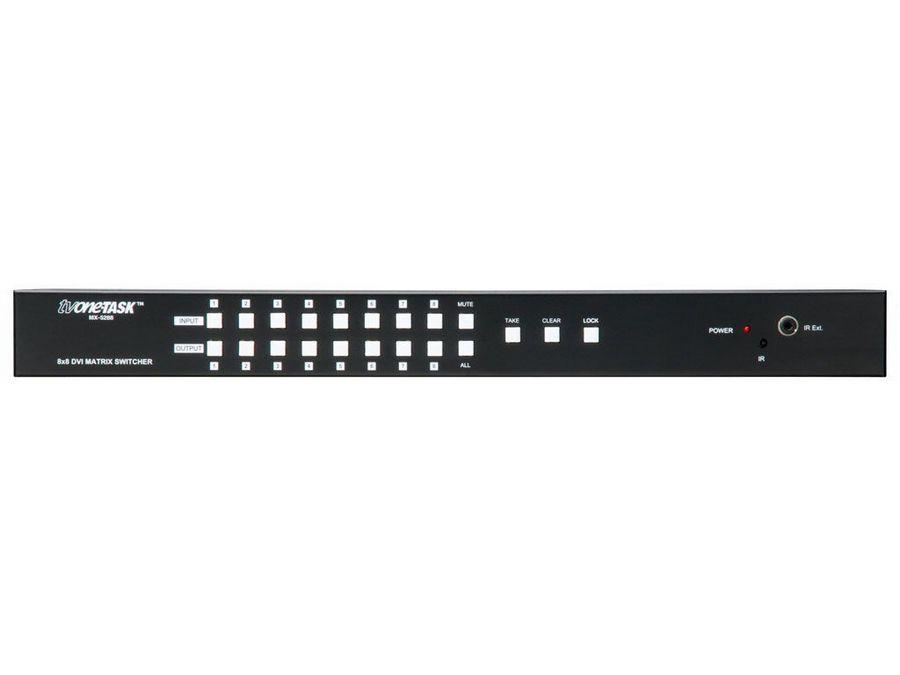
Matrix switchers route any input to any output independently: an 8x8 matrix has 8 inputs and 8 outputs, with any input routable to any output, allowing 8 simultaneous independent video paths. Matrix switchers are essential in commercial AV with multiple displays: a sports bar showing different channels on different TVs, an educational facility distributing content to multiple classrooms, a control room with multiple operator workstations. Common matrix sizes: 4x4, 8x8, 16x16, 32x32, 64x64, and larger. Modular matrix switchers let installers customize input and output counts in one chassis.
For a local bar or restaurant wanting to show different channels on different TVs, an 8x8 or 16x16 matrix switcher would be ideal depending on the number of sources and displays. The benefit of a matrix switch in this environment is the simplicity of changing channels on different TVs from the front panel, remote control, IP control, or RS-232 commands. Specialty matrix switchers serve much larger applications: security control rooms in large business buildings, casinos, stadiums, and command centers. These matrix switchers handle dozens to hundreds of inputs and outputs in coordinated operation.
Many modern AV switchers have built-in scalers that enable compatibility with displays supporting various resolutions including 4K UHD (Ultra High Definition). The scaler converts each input to the output's preferred resolution, eliminating problems with mixed-resolution sources (where one source is 1080p and another is 4K, for example). Quality scaling significantly improves the picture compared to letting the display handle resolution conversion.
High-end switchers support seamless switching: changing from one source to another instantly with no visible disturbance (no black screen, no resync delay, no resolution change artifacts). Traditional switchers are easily detected when switching: the display goes black briefly, may show a snow or noise pattern, and the resolution may briefly change. Seamless switchers eliminate these disturbances, important for professional presentations, broadcast, and any application where switching artifacts are unacceptable.
Modern switchers often integrate HDBaseT technology, allowing video, audio, Ethernet, power, and control to travel from the switcher to displays over a single CAT5/6/7 cable for up to 100 meters. This dramatically simplifies installations with long cable runs: one CAT cable per display, with HDBaseT receivers at each display location. The switcher provides HDBaseT outputs directly, eliminating the need for separate extender pairs.
Switchers are essential in every commercial AV installation with multiple sources: residential home theater (multiple sources sharing the main TV), conference rooms (multiple laptops connecting to the room display), classrooms (instructor's PC plus document camera plus BYOD), restaurants and bars (multiple cable boxes feeding multiple TVs via matrix switching), digital signage (multiple media players feeding multiple displays), broadcast and production (switcher in front of every camera feed for live production), houses of worship (multiple cameras, computer sources, and playback feeding the production), and security operation centers (multiple camera feeds with operator selection).
A basic switcher has multiple inputs and one output: it selects which input feeds the single output at any time. Common configurations: 2x1, 3x1, 4x1, 6x1, 8x1. A matrix switcher has multiple inputs and multiple outputs, with any input routable to any output independently: an 8x8 matrix routes any of 8 sources to any of 8 displays simultaneously, allowing 8 independent video paths. Basic switchers serve single-display environments (residential, simple conference rooms); matrix switchers serve multi-display environments (sports bars, classrooms with multiple displays, security operation centers, broadcast facilities).
Count the simultaneous video sources you need to switch between, then add margin for future expansion. For a typical conference room (room PC, presenter laptop HDMI, maybe one or two BYOD inputs): a 4-input switcher with 1 to 2 outputs covers it. For a sports bar (5 to 10 cable boxes, streaming devices, gaming consoles): an 8x8 or 16x16 matrix. For a classroom (instructor PC, document camera, BYOD): a 4-input switcher. Always provide margin: running a switcher with all inputs used leaves no room for unexpected source additions. For commercial installations, plan for 25 to 50 percent input margin.
Seamless switching changes from one source to another instantly with no visible disturbance: no black screen, no resync delay, no resolution change artifact. Traditional non-seamless switchers blank the screen briefly during switching (because the display has to resync to the new source's resolution and refresh rate). Seamless switching is essential in professional presentations (where audience attention is on the screen, and disturbance is unprofessional), in broadcast and live event production (where every switch must be clean), and in any application where switching artifacts are unacceptable. Seamless switchers cost significantly more than traditional switchers but are worth it for the polished presentation.
Built-in scaling in a switcher converts each input to the output's preferred resolution before sending it to the display. This eliminates problems with mixed-resolution sources: a switcher with 1080p and 4K sources both sent to a 4K display, with the scaler upconverting the 1080p source so the display always receives 4K and doesn't have to handle resolution changes. Built-in scaling also enables seamless switching (since all sources are converted to the same output resolution, switching between them doesn't cause resync). Quality scalers significantly improve picture compared to letting the display do the scaling.
HDBaseT integration in a switcher means the switcher's outputs are HDBaseT (over CAT cable) rather than direct HDMI, with HDBaseT receivers at each display location. This is the right choice for installations with long cable runs from switcher to displays: HDBaseT carries the signal up to 100 meters over a single CAT cable, far further than direct HDMI. HDBaseT also carries control signals (IR, RS-232), Ethernet, and power (PoE) along with the video, simplifying installations significantly. For installations with displays in different rooms or across large spaces (boardrooms in corporate buildings, classrooms across a school, displays across a stadium), HDBaseT-integrated switchers are the standard.
Every commercial AV installation with multiple sources: residential home theater (multiple sources sharing the main display), conference rooms and boardrooms (multiple laptops, room PC, and BYOD inputs sharing displays), classrooms and lecture halls (instructor PC, document camera, BYOD inputs to projector or display), restaurants and bars (multiple cable boxes feeding multiple TVs via matrix switching, with channel selection per display), digital signage installations (multiple media players feeding multiple displays), broadcast and production studios (every camera feed enters a switcher for production routing), houses of worship (multiple cameras, computer sources, and playback feeding the live production), security operation centers (multiple camera feeds with operator selection per monitoring station).

On order over $300 and more for US and US territory

We Offer a 30-Day Money Back Guarantee

Full manufacturer's warranty and quality assurance

Safe checkout with trusted payment providers