Start typing to see results...
Find the perfect solution
Amplifiers and splitters are the backbone of any AV distribution system. They take a single input signal (HDMI, DisplayPort, DVI, VGA, component, composite, S-Video, SDI, or analog audio) and deliver multiple identical copies of it to many displays, speakers, or downstream devices. The category also covers RF amplifiers and signal boosters for cellular and mobile data coverage.
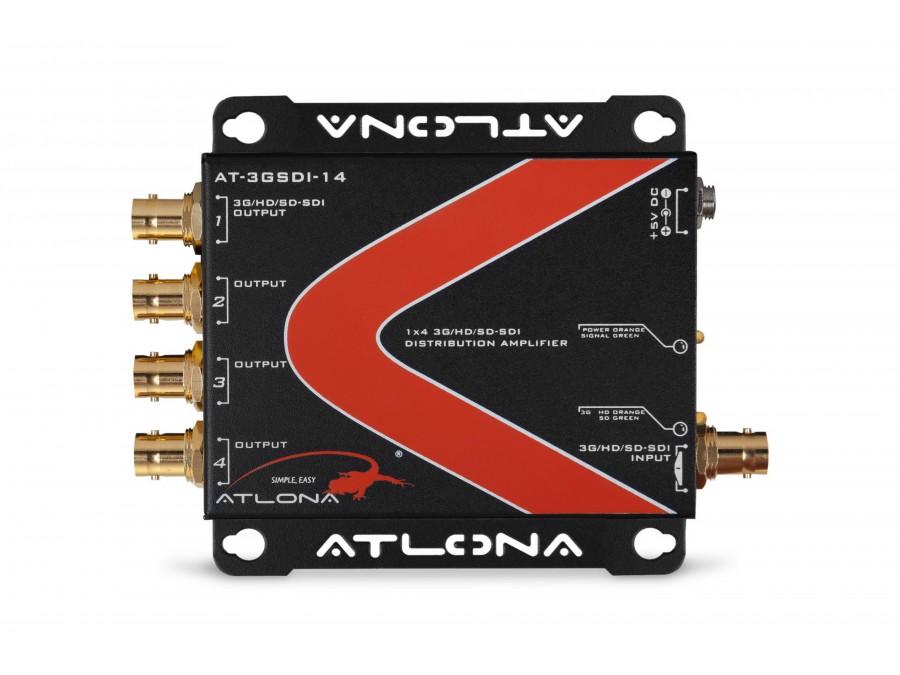
A passive splitter physically divides the signal across multiple outputs, which cuts signal strength on each branch and only works at very short distances and low resolutions. A distribution amplifier (DA) is active: it re-clocks the input and boosts each output to full strength, so every connected device receives a clean, on-spec copy of the source. In practice, every commercial-grade splitter sold today is a distribution amplifier.
When one chassis does not provide enough outputs, distribution amplifiers can be cascaded. The output of one DA feeds the input of another, allowing a single source to fan out to dozens or even hundreds of displays. When planning a cascade, verify that every device supports the same signal version, the same HDCP level (for digital video), and consistent EDID handling, so the signal survives the entire path.
Distribution amplifiers and splitters appear wherever one source needs to drive many destinations: sports bars showing one game on every TV in the venue, gyms streaming a fitness channel to a wall of screens, stadiums distributing the in-venue program to concourse displays, casinos showing marketing content across the floor, retail with synchronized digital signage, houses of worship feeding overflow rooms, broadcast and live production rooms feeding confidence monitors, and residential whole-home video distribution.
Start with the signal type used by your source equipment (HDMI, SDI, VGA, etc.) and pick the matching subcategory. Then size the output count to the number of destinations plus a small margin for growth. For long cable runs, pair the splitter with appropriate extenders. For protected content (Blu-ray, streaming services), verify HDCP support at the required level across every device in the chain.
A distribution amplifier actively regenerates and boosts the signal on every output, so each connected device receives a clean, full-strength copy of the source regardless of cable length within the signal specification. A passive splitter just physically divides the signal across the outputs, which cuts signal strength on each branch. Passive splitting works only at very short distances and low resolutions. In commercial AV practice, every multi-output splitter sold today is in fact an active distribution amplifier; the terms are used interchangeably in marketing.
Yes. Cascading lets you scale far beyond a single chassis. For example, the output of one 1x8 distribution amplifier can feed eight more 1x8 units, giving 64 independent outputs from one source. The constraint is that every device in the chain must support the same signal version (e.g., HDMI 2.0 throughout, not a mix of 1.4 and 2.0), the same HDCP version for protected content, and consistent EDID handling. Total cable length budget across the chain must also stay within spec for the target resolution.
HDCP is the copy-protection handshake between source and display used by Blu-ray, streaming services, and many corporate or broadcast sources. Every device in the signal path, including splitters, must support the required HDCP version, or the entire chain refuses to display protected content. For 4K HDR content, HDCP 2.2 or 2.3 is required at every link. A splitter rated for 4K bandwidth but missing HDCP 2.2 support will give a black screen when used with protected sources. Always verify HDCP compliance at the actual version your content requires, not just at "HDCP compatible".
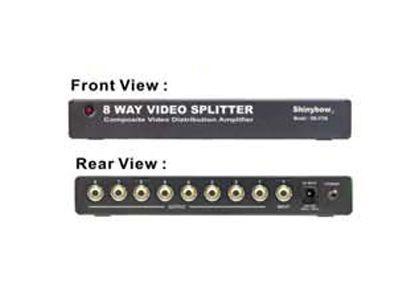
The category groups distribution amplifiers and splitters by signal type: HDMI (the most common modern interface), DisplayPort (workstations, signage, control rooms), DVI (legacy commercial and medical), VGA (schools, training rooms, legacy projectors), component (analog HD), composite (analog SD, security cameras, retro gaming), S-Video (legacy AV, broadcast monitoring), SDI (broadcast and live production), and cellular RF for mobile data and voice signal distribution. Pick the subcategory that matches the interface used by your source equipment.
Anywhere one source needs to appear simultaneously on many destinations. Common examples include sports bars showing a single game on every TV, gyms feeding a fitness channel to a wall of screens, stadiums mirroring the in-venue broadcast across concourse displays, casinos distributing marketing content to many screens, retail venues with synchronized digital signage, houses of worship sending the main camera program to displays in the auditorium and overflow rooms, broadcast control rooms driving confidence monitors, and residential AV systems extending content to multiple rooms.
Match the output count to the number of destinations you have today, then add a small margin (one or two outputs) for future expansion. Common configurations are 1x2 for small residential, 1x4 and 1x8 for typical commercial installs, and 1x16 or larger for venues with many displays. If you expect to add displays in the next year or two, buy one size up. Adding capacity later means either cascading additional units (which complicates the install) or replacing the original chassis entirely.

On order over $300 and more for US and US territory

We Offer a 30-Day Money Back Guarantee

Full manufacturer's warranty and quality assurance

Safe checkout with trusted payment providers